

Google Consent Mode v2 is the technical framework that controls how Google tags behave based on a visitor’s cookie consent choices. Mandatory since march 2024 for any website serving users in the EEA, UK, or Switzerland, it requires four specific parameters to be active. Without all four, your site loses access to remarketing, smart bidding, and accurate conversion measurement. For Irish website owners and marketing professionals running Google Ads or GA4, getting this right is not optional. It is the foundation of compliant, high-performing digital marketing.
What is Google Consent Mode v2 and what are its four parameters?
Google Consent Mode v2 is defined by four consent parameters that must all be present. Partial or legacy implementations using only the original v1 parameters reduce access to enhanced conversions, remarketing audiences, and smart bidding features in EEA and UK markets. Each parameter controls a distinct area of data collection.
- ad_storage controls cookies used for advertising, including those that track clicks and conversions across sessions.
- analytics_storage controls cookies used by Google Analytics to measure sessions, traffic sources, and user behaviour.
- ad_user_data governs whether user data, such as email addresses or phone numbers, can be sent to Google for advertising purposes.
- ad_personalization determines whether data can be used to build personalised ad audiences and remarketing lists.
All four parameters default to denied until a visitor actively grants consent. This is the critical point that many site owners miss. Running only ad_storage and analytics_storage from a legacy v1 setup means the two new parameters are absent entirely. Google treats their absence as denied, but without the explicit signal, your tags cannot take advantage of conversion modelling or advanced audience features. The result is smaller remarketing pools and degraded campaign performance, not just a compliance gap.
How does Consent Mode v2 work in practice?
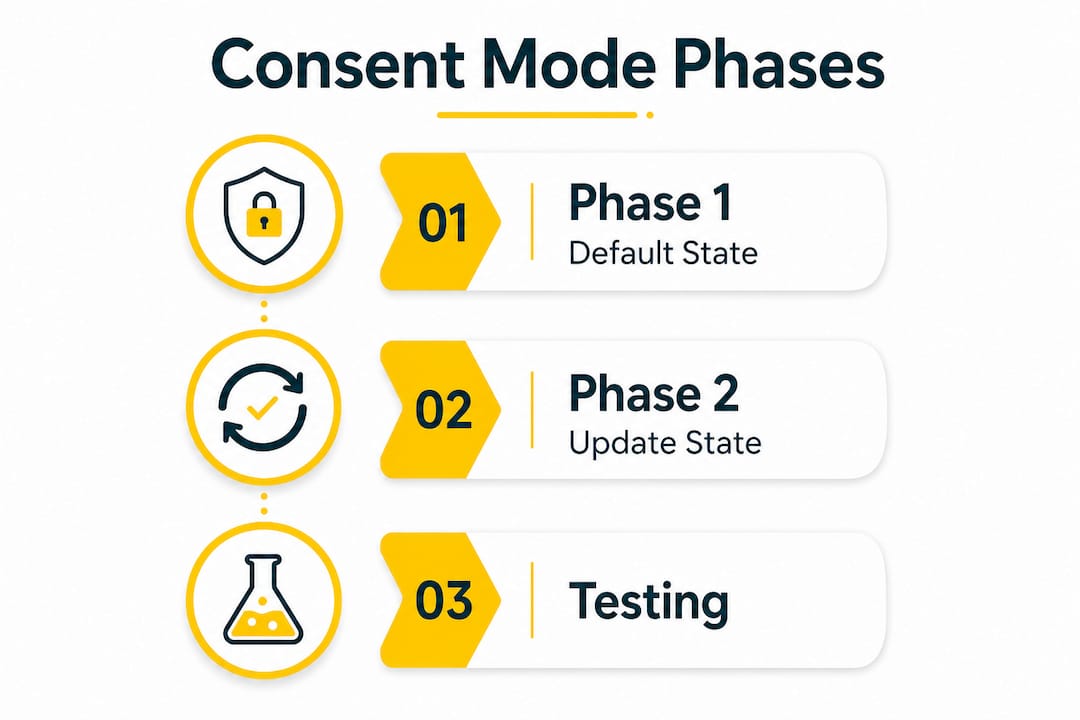
The framework operates in two distinct phases. Understanding both is the difference between a compliant setup and one that silently fails.
Phase 1: the default state
The default state fires before any other tags load. Every parameter is set to denied at this point. Google Tag Manager uses a special trigger called “Consent Initialization — All Pages” for this purpose. This trigger must fire first, before the standard “All Pages” trigger that loads your analytics and advertising tags. Using a standard “All Pages” trigger for your default consent tag is one of the most common and damaging mistakes in the entire setup process.
The default tag should also include a wait_for_update value. A 500ms wait_for_update delay gives your Consent Management Platform (CMP) time to read stored consent preferences from a returning visitor’s browser before other tags fire. Without this delay, a returning visitor who previously accepted all cookies may still trigger a denied state on their next visit, because the CMP has not yet loaded its stored preferences.
Phase 2: the update state
The update state fires after a visitor interacts with your cookie consent banner. When a visitor accepts or rejects cookies, your CMP pushes an event to the dataLayer. A second Google Tag Manager tag listens for this event and updates the consent parameters from denied to granted (or keeps them denied for categories the visitor rejected). This update tag must map every CMP consent category to the correct Consent Mode parameter. Missing this mapping means Google never receives the granted signal, even when a visitor has explicitly accepted.
Pro Tip: Test both the accept and reject flows in GTM Preview mode. Many implementations verify the accept path but never check whether a full rejection correctly keeps all four parameters denied.
What are the main methods for implementing Consent Mode v2?
The right implementation method depends on your platform, technical skill level, and how much you want to automate.
Implementation via Google Tag Manager
GTM is the most widely used method for marketing professionals. The process involves three steps: enabling Consent Overview in GTM settings, creating the default consent tag with the “Consent Initialization — All Pages” trigger, and creating the update tag that listens for your CMP’s dataLayer event. You then set consent requirements on each Google Ads and GA4 tag so they respect the signals. Enabling Consent Overview in GTM lets you verify in Preview mode that every tag has the correct consent requirements applied, making audits straightforward.

Direct implementation with gtag.js
Developers who manage tracking without GTM can implement consent mode directly in the page’s using gtag('consent', 'default', {...}) and gtag('consent', 'update', {...}) calls. This method gives precise control but requires the developer to handle timing manually. The default call must appear before the Google tag script loads. Any deviation from this order breaks the consent signal chain.
CMP plugins for WordPress
For WordPress site owners, CMP plugins are the fastest and most reliable route. WordPress CMP plugins handle the default and update calls automatically, typically completing a compliant setup in under ten minutes without manual coding. They also handle the dataLayer event structure that GTM needs for the update tag. This approach removes the risk of timing errors that affect manual setups. Eggdesign integrates CMP plugins as part of its WordPress development services, ensuring the consent layer is built correctly from the start rather than retrofitted later.
| Method | Best for | Technical effort |
|---|---|---|
| Google Tag Manager | Marketing professionals with GTM access | Medium |
| gtag.js direct code | Developers managing tracking in code | High |
| WordPress CMP plugin | Site owners wanting automated compliance | Low |
Pro Tip: After any implementation, use Google Tag Assistant to confirm that consent signals are firing in the correct order and that no Google tags load before the default denied state is set.
What errors break Consent Mode v2 compliance and how do you fix them?
Common implementation mistakes cause silent failures. Tags appear to fire correctly in standard testing, but consent signals are missing or wrong. The legal and commercial consequences accumulate quietly.
The most frequent errors are:
- Late default consent tag. The default tag fires after Google tags have already loaded, meaning tags execute without any consent signal. Fix this by using the “Consent Initialization — All Pages” trigger exclusively.
- Missing update tag. The CMP banner fires but no update tag maps the visitor’s choice to the four parameters. Google never receives a granted signal. Fix this by creating a dedicated update tag triggered by your CMP’s dataLayer event.
- Tags set to NOT_NEEDED. Setting a Google Ads or GA4 tag’s consent requirement to “Not required” bypasses consent checks entirely. This is non-compliant for EEA and UK traffic. Every Google tag must have
ad_storageoranalytics_storageset as required. - Missing v2 parameters. Only
ad_storageandanalytics_storageare configured, leavingad_user_dataandad_personalizationabsent. Fix this by adding all four parameters to both the default and update tags. - No testing of the rejection flow. Most teams test the accept path and assume the reject path works. Test both explicitly in GTM Preview mode.
Two advanced flags also deserve attention. Setting ads_data_redaction to true strips ad-related cookie data when consent is denied. Enabling url_passthrough preserves click identifiers like gclid across pages, supporting cross-page conversion attribution without storing personal data. Both flags are particularly valuable for Irish e-commerce sites where opt-out rates are high and every attributed conversion matters.
Advanced Consent Mode goes one step further. Rather than blocking Google tags entirely when consent is denied, advanced mode runs tags in a restricted cookieless state, allowing Google to model conversions without collecting personal data. This preserves marketing performance in high opt-out environments, which is the reality for most Irish and EEA websites operating under GDPR. You can read more about broader cookie management obligations that sit alongside Consent Mode compliance.
Key takeaways
Google Consent Mode v2 requires all four parameters, correct timing, and verified testing to deliver both legal compliance and full Google Ads performance.
| Point | Details |
|---|---|
| All four parameters are mandatory | Missing ad_user_data or ad_personalization degrades remarketing and smart bidding even if v1 parameters are present. |
| Timing determines compliance | The default denied state must fire before any Google tags using the “Consent Initialization — All Pages” trigger. |
| Update tag is not optional | Without an update tag mapped to your CMP, Google never receives a granted signal from consenting visitors. |
| Advanced mode protects performance | Cookieless pings preserve conversion modelling in high opt-out regions without collecting personal data. |
| Test both consent paths | Verifying only the accept flow leaves the rejection path untested and potentially non-compliant. |
Why I think most teams underestimate Consent Mode v2
After working on compliance setups across dozens of Irish websites, the pattern I see most often is this: a team installs a cookie banner, assumes the job is done, and moves on. Consent Mode v2 is a different category of work entirely. It is a sophisticated data architecture, not a legal checkbox.
The most damaging mistakes are invisible. A late default tag does not throw an error in your browser console. A missing update tag does not break your website. Both failures simply mean your Google Ads data degrades quietly over weeks, your remarketing audiences shrink, and your smart bidding models lose the signal they need. By the time you notice the performance drop, months of data are gone.
The CMP-to-GTM integration is the most fragile point in the entire chain. I have seen setups where the CMP fires its dataLayer event under a slightly different name than the GTM tag expects, meaning the update never triggers. That single character mismatch costs real money. Thorough testing, including the WCAG and compliance considerations that sit alongside consent obligations, is not a one-time task. Consent Mode needs re-verification after every GTM publish, every CMP update, and every major site change.
The teams that get this right treat Consent Mode as infrastructure, not a project. They schedule quarterly audits, document their dataLayer event names, and test rejection flows as rigorously as acceptance flows. That discipline is what separates compliant, high-performing campaigns from ones that slowly bleed attribution data.
— John
How Eggdesign can help with Consent Mode v2 on your WordPress site
Getting Consent Mode v2 right on a WordPress site requires more than installing a plugin and hoping for the best. The default and update tags need precise GTM configuration, and the CMP must be matched correctly to your tag structure.

Eggdesign has over 17 years of experience building and maintaining compliant WordPress websites for Irish businesses, including museums, tour operators, and e-commerce stores. The team handles CMP plugin integration, GTM consent tag configuration, and post-launch verification as part of a complete setup. If your current implementation was built before march 2024 or has never been formally tested, a professional audit can identify gaps before they affect your Google Ads performance or GDPR standing. Contact Eggdesign to discuss a consent compliance review for your site.
FAQ
What is Google Consent Mode v2?
Google Consent Mode v2 is a framework that adjusts how Google tags collect data based on a visitor’s cookie consent choices. It requires four parameters: ad_storage, analytics_storage, ad_user_data, and ad_personalization.
When did Google Consent Mode v2 become mandatory?
Google made Consent Mode v2 mandatory in march 2024 for websites serving users in the EEA, UK, and Switzerland. Sites that do not comply lose access to remarketing, smart bidding, and accurate conversion measurement.
How do I implement Consent Mode v2 on WordPress?
The fastest method is a CMP plugin, which automates the default and update consent calls without manual coding. For full control, you can also configure the consent tags directly in Google Tag Manager alongside your CMP.
What happens if I only have the v1 parameters set up?
Legacy v1 setups that include only ad_storage and analytics_storage miss the two new v2 parameters. This reduces your remarketing audience size and limits access to enhanced conversions and smart bidding features in EEA and UK markets.
How do I verify that my Consent Mode v2 setup is working correctly?
Enable Consent Overview in Google Tag Manager and use GTM Preview mode alongside Google Tag Assistant to confirm that consent signals fire in the correct order and that Google Ads and GA4 tags respect the consent requirements you have set.
Recommended
- Cookies Policy
- Accessibility Statement
- Ensuring WCAG Accessibility for Your Website: How Egg Design Can Help You Comply with New EU Laws | Web Design Ireland
- Web Accessibility Audit & WCAG Compliance Services Ireland | Egg Design